Windows Firewall
To verify Vuze is setup in Windows Firewall correctly, follow these steps on Windows 7:
- Close Vuze if it's already running
- In Control Panel, select System Security

- Click "Allow a program through Windows Firewall

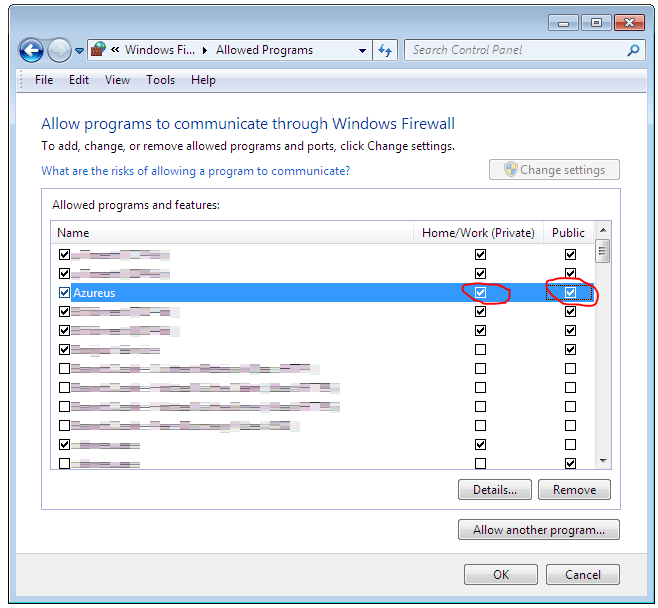
- Find "Azureus" or "Azureus / Vuze", and ensure BOTH Public and Private checkboxes are checked

- If one or both are unchecked, click "Change Settings"

- Make both check boxes checked
- Click Ok

- Launch Vuze
Category: